How URL Shorteners Work What Happens Between The Click And The Redirect
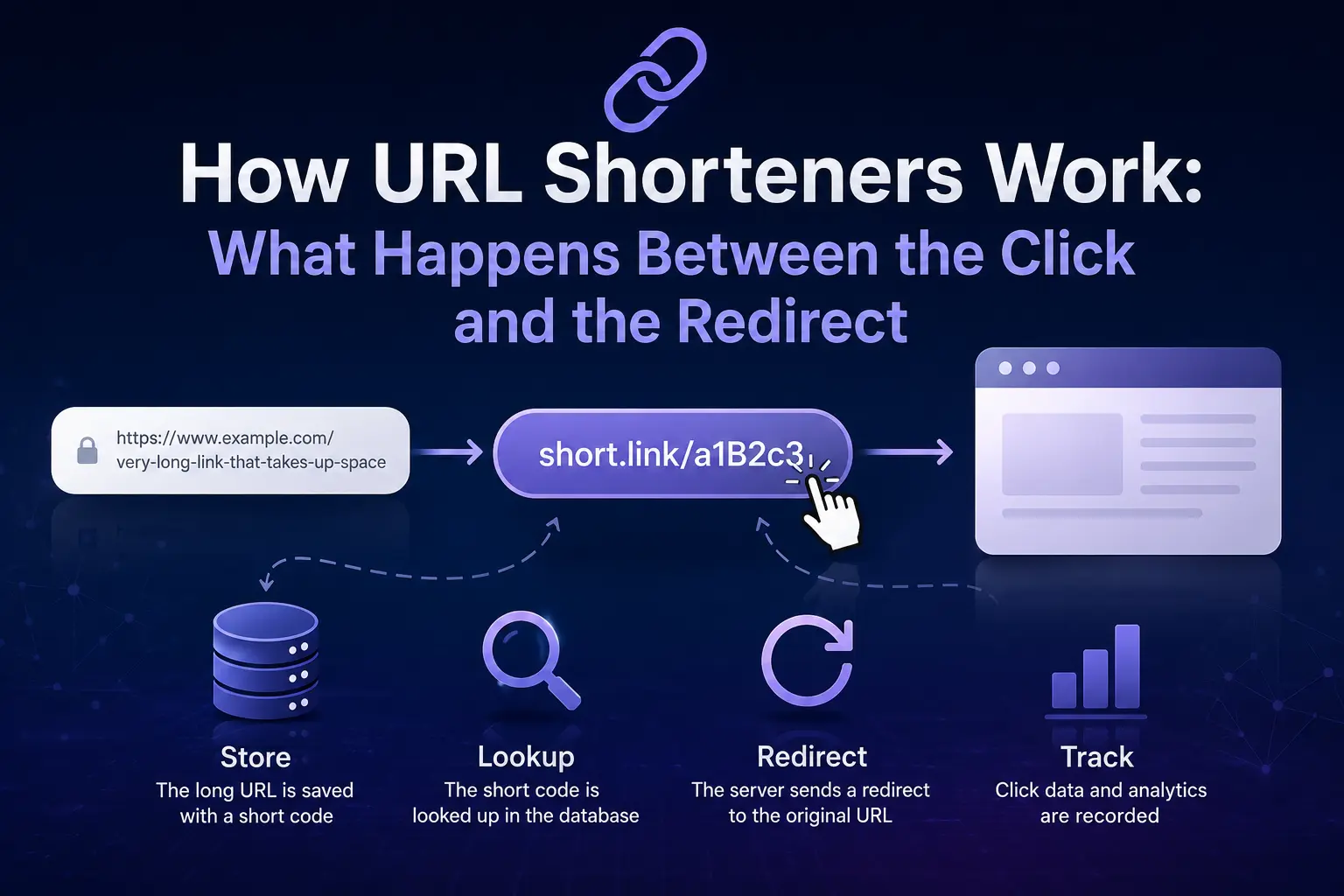
Paste a long link into a shortener, hit convert, and you get back something like short.link/a1B2c3. Click it, and somehow it lands you exactly where the original link was pointing. It feels almost too simple for what's actually going on behind it.
Here's the part most explanations skip: a URL shortener isn't compressing your link the way a zip file compresses data. It's not squeezing the original URL down into a smaller version of itself. It's doing something closer to a phone book storing your long link under a short entry, then looking that entry up every time someone clicks.
The Basic Mechanism
When you submit a long URL to a shortener, three things happen in quick succession:
First, the service generates a short, unique code usually 5 to 8 characters, made of letters and numbers. Second, that code gets saved in a database alongside the original long URL, as a simple pair: short code on one side, destination link on the other. Third, you get back a new URL made of the shortener's domain plus that code.
Nothing about the long URL itself has been altered or reduced. It's sitting untouched in a database row, waiting to be matched with its short code.
What Happens When Someone Clicks the Short Link
This is where the actual redirect logic kicks in and it happens in well under a second:
The click sends a request to the shortener's server for that specific short code. The server looks up the code in its database, the same way a phone book lookup works code in, matching long URL out. Once it finds the match, the server sends back an HTTP redirect response, telling the browser "go to this address instead." The browser follows that instruction automatically, and the person ends up on the original destination page, usually without ever noticing the extra step.
That redirect step is the part with real design decisions behind it specifically, which HTTP status code the server uses to tell the browser to move on.
301 vs. 302 The Redirect Type That Actually Matters
Most people never think about this, but it affects both SEO and analytics:
A 301 redirect means "permanently moved." Search engines treat the short link and the destination as effectively the same page for ranking purposes, and browsers may cache the redirect so it loads faster on repeat visits.
A 302 redirect means "temporarily moved." Every click goes back through the shortener's server fresh, which is slightly slower but gives the shortener full visibility into every single click where it came from, what device, what time.
Most commercial shorteners default to 302 for exactly that reason: it's what makes click analytics possible. If they used 301 redirects everywhere, browsers would start caching the destination and clicks would stop reporting back to the dashboard.
How the Short Code Actually Gets Generated
There are two common approaches, and the difference matters if you care about customizing your links:
Random generation takes the original URL, runs it through a hashing or randomization process, and produces a short code with no relationship to the content of the link. This is the default on most services because it's fast and avoids collisions two different users are extremely unlikely to get the same code by accident.
Custom slugs let the user pick their own code short.link/summer-sale instead of a random string. This trades a bit of randomness for something memorable and brand-relevant, which matters more for marketing links than for a quick one-off share.
Either way, the database still works the same: short code mapped to long URL, looked up on every click.
Where Click Tracking and Analytics Fit In
Because every click passes through the shortener's server before reaching the destination, that server is in a position to log data most people wouldn't otherwise get: click timestamps, rough location based on IP, referring source, and device type. None of this touches the destination page itself it's all captured during that brief redirect step, before the browser is handed off.
This is also why shortened links are useful for tracking campaign performance across channels that don't support their own analytics printed materials, verbal mentions, or platforms with character limits. The click count exists independently of whatever tracking the destination website has set up.
Why Some Shortened Links Eventually Break
A shortened link only works as long as two things stay true: the shortener's database still has that code-to-URL mapping, and the original destination page still exists. If a shortening service shuts down or purges old links, every short code it issued stops resolving the phone book entry disappears even though the underlying page might still be live. This is the main argument for using an established shortener with a stable track record rather than a service that might not exist in two years.
The Short Version
A URL shortener stores a short code and a long URL as a matched pair, then looks that pair up every time the short link gets clicked, redirecting the browser to the original destination through an HTTP response. The randomness, the redirect type, and the analytics layered on top are all decisions a given service makes but the core mechanism underneath every shortener is the same simple lookup.
Frequently Asked Questions
Q1: Does a URL shortener actually compress the link?
Ans: No. It stores the original long URL as-is and generates a short code that points to it nothing about the destination link is compressed or altered.
Q2: Is a shortened URL safe to click?
Ans: It depends entirely on the shortener and the destination it points to, since the short link itself hides where you're actually going. Reputable shorteners scan for malicious destinations, but it's still worth being cautious with short links from unknown sources.
Q3: Why do some shortened links stop working after a while?
Ans: Usually because the shortening service shut down, purged old data, or the original destination page was deleted. The short code only works as long as both sides of that mapping still exist.
Q4: Can two different long URLs get the same short code?
Ans: No shorteners are built specifically to avoid this. Each short code is checked against the database before being assigned to make sure it's not already in use.
Q5: Do URL shorteners slow down page loading?
Ans: There's a small delay from the extra redirect step, but it's typically a fraction of a second and not noticeable in normal use.
Q6: Can I create my own custom short link instead of a random one?
Ans: Most services that support custom slugs let you replace the random code with a chosen word or phrase, as long as it hasn't already been taken by another user.